

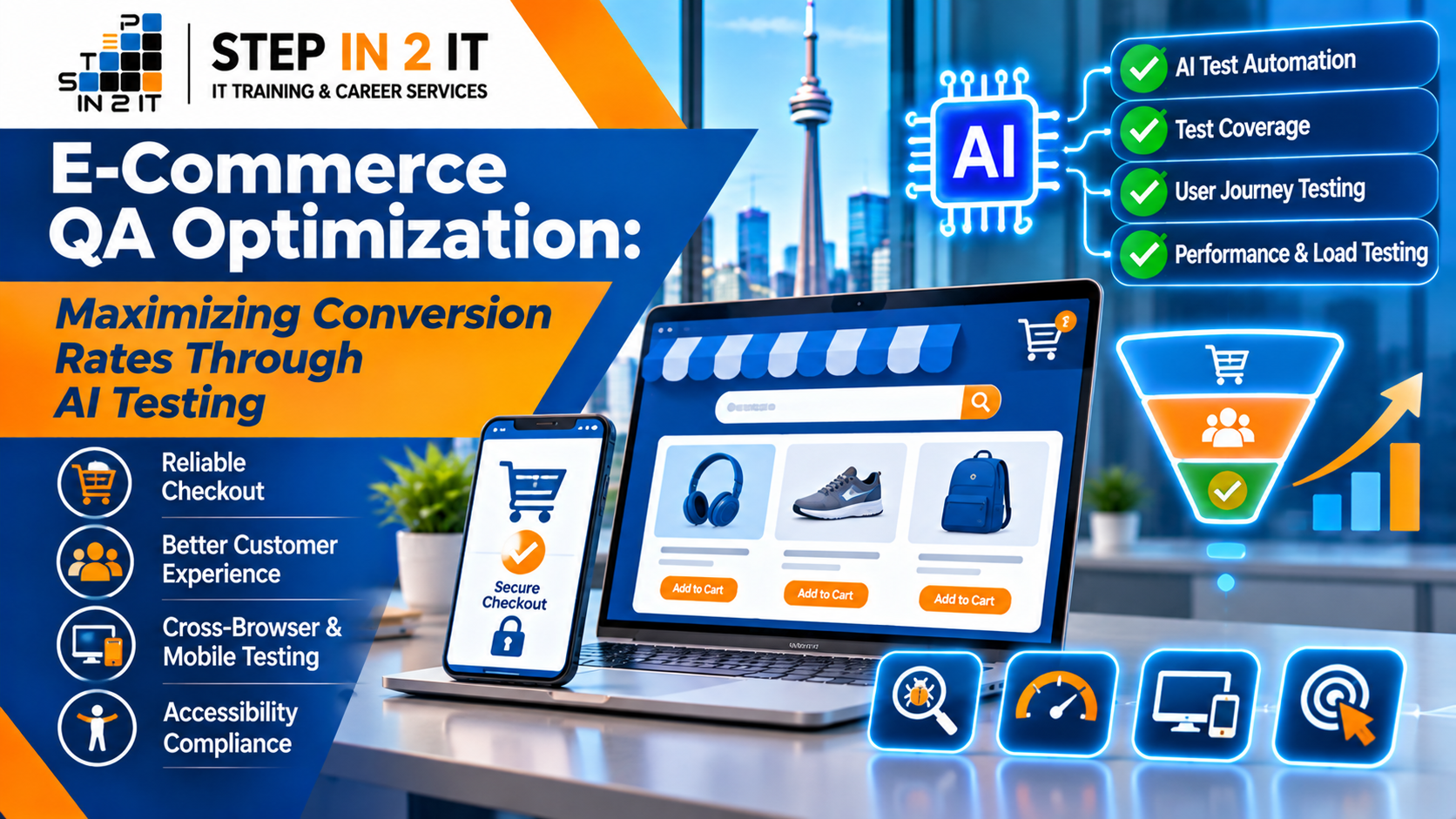
For an online retailer, a website is more than a digital catalogue. It is the storefront, sales assistant, checkout counter and customer service entry point—all operating at the same time. A broken filter, an inaccurate product price, a slow product page or a payment error can interrupt a purchase at the moment a customer is ready to buy.
That is why quality assurance (QA) has a direct connection to e-commerce performance. A reliable shopping experience helps customers find products, understand their options, complete checkout and trust the business. Artificial intelligence (AI) is adding new ways for QA teams to design tests, identify risk, analyze failures and maintain automated coverage as online stores change.
For e-commerce businesses in Toronto and across Canada, AI-assisted testing can support a more systematic approach to website quality. It does not guarantee higher conversion rates on its own. Instead, it helps teams detect and prevent technical and usability problems that can create friction in the customer journey.
1. Understanding the Connection Between QA and Conversion Rates
Conversion rate is commonly calculated as the number of completed conversions divided by the number of eligible visits or sessions, multiplied by 100. For an online store, the primary conversion may be a completed order, although businesses also track actions such as account creation, newsletter sign-up or adding an item to a cart.
QA does not control every factor that influences a purchase. Pricing, product-market fit, advertising quality, shipping costs, inventory, brand trust and customer intent all matter. However, software defects and poor user experience can prevent motivated shoppers from completing a transaction.
Examples include:
- A product filter that removes relevant items or returns no results unexpectedly.
- A product variant selector that displays the wrong size, colour or availability.
- An add-to-cart action that fails silently or adds the wrong quantity.
- A discount code that appears valid but is rejected at checkout without a useful explanation.
- A shipping calculator that displays incorrect rates or delivery estimates.
- A payment workflow that times out, duplicates an order or fails to show a clear confirmation.
- A mobile layout that hides the checkout button or makes form fields difficult to use.
These problems can create friction, reduce confidence and contribute to abandonment. QA teams help by testing important shopping paths repeatedly and verifying that fixes do not introduce new defects.
2. Map the Complete E-Commerce Customer Journey
Before writing test cases, map the steps a shopper takes from landing on the store to receiving an order confirmation. Include different routes, such as a first-time guest purchase, a returning signed-in customer, a mobile purchase and a transaction using a promotion code.
| Customer journey stage | What QA should validate | Potential conversion impact |
|---|---|---|
| Landing and navigation | Page rendering, menus, links, category paths and promotional banners | Visitors can understand the store and reach relevant products |
| Search and discovery | Search relevance, filters, sorting, autocomplete and empty states | Shoppers can find products without unnecessary effort |
| Product detail | Images, descriptions, price, stock, variants, reviews and delivery details | Customers can make an informed purchase decision |
| Cart | Quantity changes, item removal, totals, discounts and persistence | Cart contents and costs remain accurate |
| Checkout | Guest checkout, address validation, shipping, taxes and form errors | Customers can complete required information efficiently |
| Payment | Approved, declined, cancelled, pending and duplicate-submission scenarios | Payment outcomes are handled correctly and securely |
| Confirmation and post-purchase | Order number, confirmation message, email, inventory and order history | Customers receive confidence that the order was placed |
This journey map becomes the foundation for test planning, automation priorities and analytics review. It also helps product managers, developers, designers and QA professionals agree on what a successful customer experience means.
3. How AI Improves E-Commerce QA Testing
AI can assist at several points in the testing lifecycle. Its value is strongest when it helps teams analyze information, create useful test ideas, prioritize risk and maintain test assets—while qualified people review the results.
A. AI-Assisted Test Case Generation
QA professionals can provide AI tools with approved user stories, acceptance criteria or business rules and ask for draft test scenarios. For example, a product page requirement may involve selecting a size, checking stock and adding the item to a cart.
AI can suggest positive, negative and boundary scenarios, such as:
- Selecting an available size and adding one item to the cart.
- Attempting to select an unavailable size.
- Changing the variant after a previous selection.
- Adding the last available unit and checking the stock message.
- Refreshing the page and confirming that the selected variant behaves as expected.
- Verifying that the displayed price matches the cart and checkout total.
The QA analyst must compare generated ideas with the actual requirements and business rules. AI-generated test cases are drafts, not proof of coverage.
B. Risk-Based Test Prioritization
Not every part of an online store carries the same business risk. A spelling issue on a low-traffic informational page is different from a payment calculation defect or a checkout failure affecting a large share of orders.
AI-assisted analysis can help group defects and test scenarios using factors such as:
- Business criticality of the affected feature.
- Frequency of customer use and traffic to the affected page.
- Severity and likelihood of failure.
- Recent code changes and historical defect patterns.
- Revenue or customer impact if the journey is interrupted.
- Dependencies on inventory, pricing, shipping or payment services.
Teams should use transparent criteria and retain human oversight. A model's priority recommendation should not replace incident response rules or business decisions.
C. AI-Assisted Test Maintenance
E-commerce websites change frequently. Product cards are redesigned, navigation is updated, promotional modules are added and checkout forms evolve. Automated tests can become fragile when they rely on selectors that change with the page structure.
AI coding assistants may help explain failed scripts, propose more resilient locators or draft updated test steps. QA engineers still need to verify that a proposed change targets the correct control and preserves the original test intention. Updating a locator simply to make a failing test pass can hide a genuine product defect.
D. Failure Analysis and Log Summarization
When an automated checkout test fails, the cause may be a UI defect, a backend response, test data, an environment issue or a third-party integration. AI tools can help summarize sanitized logs, compare error messages and suggest areas to investigate.
For reliable analysis, provide relevant context such as the test step, expected result, actual result, timestamp, environment and sanitized error output. Never paste payment card data, passwords, customer records, access tokens or other sensitive production information into an unapproved AI service.
E. Synthetic Test Data Support
Testing an online store requires a variety of customer profiles, addresses, products, stock levels, discounts and order states. AI-assisted tools can help generate realistic synthetic data for controlled test environments.
Examples include a customer with a valid address, a customer with an incomplete postal code, a product with limited stock, an expired promotion or a cart containing items with different shipping rules. Generated data must follow the application's validation rules and must not reproduce identifiable customer information.
4. The Most Important E-Commerce Areas to Test
Product Listings, Search and Filters
- Category pages display the correct products and product counts.
- Search handles common terms, partial matches, spelling variations and no-result searches appropriately.
- Filters combine correctly, and clearing filters restores the expected results.
- Sorting by price, popularity or newest items works as specified.
- Pagination or infinite scrolling does not omit or duplicate products.
- Product availability and promotional labels are accurate.
Product Detail Pages
- Product title, description, images, price and stock information are consistent.
- Variant selection updates the correct image, price, SKU and availability.
- Image zoom, galleries and videos work on supported devices.
- Product reviews and ratings display correctly and follow the site's moderation rules.
- Delivery estimates and return information are clear and consistent with business rules.
- Add-to-cart actions provide visible confirmation and handle errors accessibly.
Shopping Cart and Promotions
- Adding, removing and updating items recalculates the cart correctly.
- Cart contents persist according to the store's session and account rules.
- Discount codes follow eligibility, expiry, minimum-spend and usage rules.
- Shipping, tax and discounts are recalculated when cart details change.
- Out-of-stock items and price changes are handled with clear messages.
- Repeated clicks do not create unintended duplicate cart actions.
Checkout and Payment
- Guest and registered-customer checkout paths work as intended.
- Required fields, optional fields and address validation behave correctly.
- Shipping methods, taxes, discounts and final totals are accurate.
- Payment approval, decline, cancellation, timeout and pending outcomes are handled.
- Refreshing or resubmitting a payment step does not create duplicate orders.
- A confirmation page appears only after the server verifies a successful order state.
- Order details, inventory changes and confirmation notifications are consistent.
5. Using Playwright for Automated E-Commerce Testing
Playwright is one option for automating browser-based shopping journeys. It supports Chromium, Firefox and WebKit, and provides assertions, auto-waiting and debugging capabilities. A team can use it to validate important user-visible behaviour across supported browsers.
For example, an automated test might check that a shopper can open a product page, choose an available option, add it to the cart and see the correct item and quantity. A checkout test can use a payment sandbox and controlled test data to verify the expected outcome.
Good automation practices include:
- Use accessible, user-facing locators such as roles and labels where possible.
- Keep tests isolated so one test does not depend on another test's cart, session or data.
- Use controlled test accounts, products and inventory in a non-production environment.
- Validate visible outcomes and important business rules, not just whether a button was clicked.
- Capture traces, screenshots and logs when failures occur.
- Run a focused set of critical journeys on relevant code changes and broader regression suites at planned intervals.
Playwright's official guidance recommends testing user-visible behaviour and keeping tests isolated to improve reliability. Its visual comparison features can also help identify unintended interface changes, provided baselines are maintained consistently. Read Playwright testing best practices and visual comparison documentation.
6. AI-Powered Visual and Cross-Device Testing
Visual changes can affect the shopping experience even when the underlying application still works. A misplaced button, clipped price, hidden promotion or overlapping mobile menu can make a purchase journey confusing.
Visual regression testing compares a current page with an approved baseline to highlight unexpected changes. AI-assisted visual analysis may help classify differences or identify areas that deserve review, but teams should account for dynamic content, timestamps, rotating promotions, personalization and image changes.
Test the store across representative combinations of:
- Desktop, tablet and mobile screen sizes.
- Common browsers and supported browser versions.
- Portrait and landscape orientations where relevant.
- Keyboard-only navigation and assistive technology workflows.
- Different network conditions and realistic loading states.
- Logged-in and guest shopping experiences.
Do not treat a screenshot comparison as a complete accessibility or usability evaluation. Include manual keyboard and assistive technology testing, and assess the experience against the accessibility requirements relevant to the business. The W3C's evaluation methodology provides a structured approach to evaluating representative samples of digital products. Explore WCAG-EM.
7. Performance Testing: Every Delay Needs Investigation
Slow pages and delayed interactions can interrupt shopping, especially on mobile devices or less reliable networks. Performance testing should examine more than the homepage. Product listing pages, product detail pages, search results, cart updates and checkout steps may have different performance characteristics.
QA and engineering teams can monitor:
- Initial page rendering and loading of important content.
- Image sizes, responsive image delivery and lazy loading behaviour.
- JavaScript execution and third-party scripts.
- Search response times and filter interactions.
- Cart and checkout API latency.
- Performance under expected traffic and controlled peak-load scenarios.
AI can help group performance observations, summarize test runs and identify recurring patterns, but performance decisions should be based on measured data. Use realistic traffic models and avoid running load tests against production systems without explicit authorization and safeguards.
8. Accessibility Is Part of Conversion-Focused Quality
A shopping journey should work for people who use keyboards, screen readers, magnification, voice input or other assistive technologies. Accessibility barriers can prevent customers from searching, selecting product options, understanding validation messages or completing payment.
Include checks for:
- Meaningful labels and instructions for search, address and payment forms.
- Visible keyboard focus and logical tab order.
- Accessible names and states for buttons, menus, dialogs and product selectors.
- Readable text, sufficient contrast and zoom/reflow behaviour.
- Clear announcements for cart updates, errors and confirmation messages.
- Alternative text for informative product imagery.
Automated accessibility tools can identify some issues quickly, but they cannot detect every barrier. Combine automated checks with manual keyboard testing and assistive technology evaluation. W3C's WCAG Evaluation Methodology explains how to plan a more comprehensive evaluation.
9. A Practical AI Prompt for E-Commerce Test Design
QA learners and professionals can use a structured prompt to draft test scenarios from a requirement. The following example uses fictional business rules and should be adapted to the actual product specification.
Example prompt
You are assisting a QA analyst testing an online store. Review the following fictional requirement: “A customer can add an available product variant to the shopping cart. The cart must show the selected variant, quantity, unit price and updated subtotal. If the selected variant is unavailable, the customer must be informed and must not be able to add it.”
Create a test matrix containing positive, negative, boundary and exploratory scenarios. For each scenario, include a unique ID, preconditions, test data, steps, expected result and risk level. Include cases for variant changes, limited inventory, repeated clicks, page refresh and price consistency. Do not invent rules that are not stated. List any assumptions and questions that require product-owner clarification. Do not include real customer or payment data.
The QA analyst should review the output, resolve assumptions with the product team and convert approved scenarios into manual or automated tests. This review step is essential: AI may overlook a business rule or confidently suggest behaviour that the product does not support.
10. Measure QA Outcomes Alongside Conversion Analytics
To understand whether quality improvements are helping the business, connect test results with product analytics and operational indicators. Avoid assuming that a change in conversion rate was caused by QA alone. Marketing campaigns, seasonality, pricing, stock availability and customer mix can all influence results.
| Metric | What it helps you understand | How QA contributes |
|---|---|---|
| Checkout completion rate | How often eligible checkout sessions reach completion | Validates checkout steps, form errors, totals and payment outcomes |
| Cart abandonment | How often shoppers leave with items in their cart | Investigates cart defects, unexpected costs and broken transitions |
| Payment failure rate | How frequently payment attempts fail, by reason where available | Tests approved, declined, pending and recovery scenarios |
| Search refinement and no-result rate | Whether shoppers can find relevant products | Validates search, filters, sorting and empty-state behaviour |
| Page and interaction performance | How quickly key pages and controls respond | Runs performance checks and verifies fixes |
| Escaped defects | Issues discovered by customers after release | Improves regression coverage and release-risk assessment |
| Automated test reliability | Whether test results are repeatable and actionable | Reduces flaky tests and improves failure diagnosis |
For experiments such as a redesigned checkout button or a shorter form, use a controlled A/B testing process where appropriate. QA should verify that both variants function correctly, analytics events are recorded consistently and the experiment does not expose customers to broken payment or order flows.
11. A Conversion-Focused E-Commerce QA Release Checklist
Use this checklist before a major release, promotional campaign, platform migration or significant checkout update.
- Critical customer journeys are documented, including guest and returning-customer paths.
- Product discovery, search, filters and product variants have been tested.
- Cart calculations, discounts, shipping and taxes have been validated against approved rules.
- Payment success, decline, cancellation, timeout and duplicate-submission cases have been tested safely.
- Order confirmation, inventory updates and customer notifications are consistent.
- Critical journeys pass on supported browsers and representative mobile devices.
- Accessibility checks include automated and manual evaluation.
- Performance has been measured on key templates and APIs under appropriate conditions.
- Security testing has been completed within an authorized scope.
- AI-generated test ideas and code changes have been reviewed by a qualified person.
- Known defects, release risks and rollback procedures have been communicated.
- Analytics events for key funnel steps have been verified.
12. Common Mistakes to Avoid When Using AI for E-Commerce QA
- Automating everything: Not every scenario needs a browser test. Use the right level of testing, including unit, API, integration, UI and exploratory checks.
- Trusting generated tests without review: AI can miss requirements, invent assumptions or produce tests that pass without checking the important business outcome.
- Testing only the happy path: Include payment declines, unavailable products, invalid addresses, expired discounts and interrupted sessions.
- Ignoring test data quality: Uncontrolled inventory, accounts and promotion data can make results unreliable.
- Using production data carelessly: Protect customer information and use approved, minimized or synthetic data for testing.
- Confusing a visual match with functional correctness: A page can look correct while calculations, APIs or payment states are wrong.
- Claiming conversion gains without evidence: Compare analytics carefully and account for other factors that influence customer behaviour.
13. Skills QA Professionals Need for E-Commerce Testing
E-commerce testing brings together several areas of software quality. QA professionals who want to work on retail platforms can build skills in:
- Manual testing, test analysis and exploratory testing.
- Web automation using Playwright or Selenium.
- API testing, HTTP, JSON and tools such as Postman.
- SQL and database validation.
- AI prompt engineering and responsible AI-assisted test design.
- Cross-browser, mobile and responsive testing.
- Performance testing and basic CI/CD workflows.
- Accessibility testing and clear defect communication.
- Understanding customer journeys, checkout rules and business risk.
These skills are useful for learners and career changers exploring QA opportunities in Toronto, North York, Brampton, Mississauga, Scarborough, Markham, Vaughan and other GTA communities. A portfolio project that tests a sample online store can help demonstrate practical knowledge.
14. Build Practical QA Skills With STEP IN 2 IT
Modern QA professionals need to understand both testing fundamentals and the tools used to validate today's web applications. E-commerce is a useful learning context because it combines user interfaces, APIs, data, security, performance and business workflows in one customer journey.
STEP IN 2 IT supports learners in Toronto and the Greater Toronto Area through IT training and career services. Its software testing learning pathway can help learners build a foundation in QA concepts and explore modern automation and AI-assisted testing practices.
If you are a new graduate, a career changer or an IT professional looking to strengthen your testing skills, focus on practical work. Build test cases for a sample store, automate a product-to-cart journey, validate API responses, test checkout scenarios using safe sandbox data and document the results in a portfolio.
Ready to Strengthen Your Software Testing Skills?
Explore software testing training with STEP IN 2 IT. Develop practical QA knowledge, learn modern testing approaches and ask about career guidance and job placement assistance.
Frequently Asked Questions
1. What is AI-driven e-commerce testing?
AI-driven e-commerce testing uses AI-assisted techniques to support test design, risk analysis, failure investigation, test data creation and automation maintenance. Human QA professionals remain responsible for validating requirements, reviewing outputs and assessing business risk.
2. Can AI testing directly increase an online store's conversion rate?
AI testing does not guarantee a conversion increase. It can help teams detect defects and usability problems that interrupt shopping journeys. Whether conversion improves depends on the problems identified, the quality of fixes and other business factors.
3. Which e-commerce features should be tested first?
Prioritize critical customer journeys such as product discovery, product details, cart calculations, shipping, checkout, payment and order confirmation. Use traffic, business impact and failure risk to refine the order.
4. Is Playwright suitable for e-commerce automation?
Playwright can automate browser journeys such as searching for products, selecting variants, adding items to a cart and checking visible checkout outcomes. Payment workflows should use approved sandbox environments and controlled test data.
5. How does AI help with regression testing?
AI-assisted tools can help draft regression scenarios, identify areas affected by changes, summarize test failures and suggest maintenance updates. QA teams must review recommendations and ensure important business rules remain covered.
6. Why is mobile testing important for e-commerce?
Customers may browse and purchase on different screen sizes, browsers and network conditions. Mobile testing helps identify layout, navigation, form, performance and checkout issues that may not appear on desktop.
7. Can AI replace manual testing in online retail?
No. Human testers provide context, exploratory judgment, usability insight and business-rule interpretation. AI and automation can support repetitive checks and analysis, but they do not replace comprehensive human evaluation.
8. What should QA teams measure after fixing checkout problems?
Track relevant indicators such as checkout completion, payment failures, cart abandonment, error rates and performance. Use analytics and controlled experiments where appropriate, and avoid attributing every change to a single QA fix.
9. What skills help someone start testing e-commerce applications?
Start with manual testing, test case design and defect reporting. Then build skills in browser automation, API testing, SQL, cross-device testing, accessibility, performance and responsible AI-assisted test design.
Conclusion: Make Every Shopping Journey Testable
Conversion-focused e-commerce QA is about making the online shopping journey dependable from product discovery through payment and post-purchase confirmation. AI can help QA teams generate test ideas, prioritize risk, analyze failures and maintain automation, while browser testing, API validation, performance checks and accessibility evaluation provide the evidence needed to assess quality.
For online retailers, the most effective approach is continuous and customer-centred: test the journeys that matter, use realistic data, measure outcomes and review every AI-generated recommendation. For aspiring QA professionals, learning these techniques offers a practical way to understand how software quality supports real business results.
Editorial note: This article is for general educational purposes. AI-assisted testing does not guarantee higher conversion rates, security compliance or defect-free releases. Payment, privacy, accessibility and security requirements depend on the application, integrations and applicable standards.